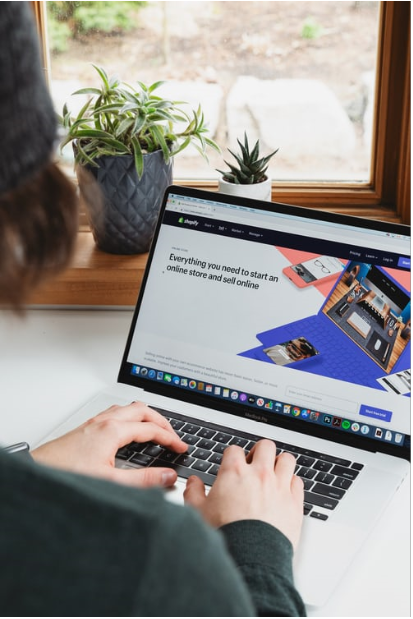
There are 100+ free and paid Shopify themes available for use. And over 820,000 merchants are using Shopify to sell online.
Now, we will leave you with the math about how many times each theme would have been used.
No matter how unique you think a theme is, chances are your customers have already seen it. Maybe on your competitor’s site.
What you need is a custom theme. And now, you can create a custom theme using Theme Kit.
Let’s walk you through the process and show you how it is done right.
Theme Kit – What is It?
A cross-platform command-line tool, Theme Kit, can be used to build custom Shopify themes.
Considered as a breather for Shopify theme developers, Theme Kit lets you create a custom theme using your own tools. You can download the theme on your device, edit and customize it locally using your preferred editor and tools. You can then see how the command-line tool pushes the changes you made locally to the theme on your Shopify store.
Other than letting you use your own development tools Shopify developer skills, Theme Kit’s advantage lies in the fact that it lets you hone, polish, and effectively utilize your theme-building skills.
Here’s what else you can do with Theme Kit –
- Use Git (or other workflow tools) to collaborate with theme developers.
- Upload themes to multiple environments.
- Monitor local changes, which can be automatically updated to Shopify.
- Work on Windows, macOS, or Linux.
Getting Started With Theme Kit
The basics before you can begin the actual task.
Step 1 – Creating Accounts and Downloading Theme Kit
To create a custom theme (or configure an existing theme) with Theme Kit, you will need a Shopify Partner account.
When you will create a Partner account, you’ll get access to your Shopify store. And then, you can get started with the Theme Kit.
Note: To make use of the Theme Kit, you need to be familiar with command line basics. If that isn’t true in your case, it will be better to hire Shopify theme developers for the job than going DIY.
Once you have created the account, download Theme Kit for Linux, Windows, or macOS.
Use HomeBrew for macOS and Chocolatey for Theme Kit on Windows.
Step 2 – Generate Shopify API Credentials
To connect Theme Kit to your store, you will need to generate new Shopify API credentials. Only then will you be able to manage your template files.
The following steps will help you generate Shopify API credentials –
- Shopify Admin → API → Manage Private Apps (Theme Kit uses a private app to manage its connections.)
- Enable Private App Development if disabled.
- Click on Create New Private App
- App details section → Fill in the app name and your email ID.
- Go to the Admin API section.
- Click on Show inactive Admin API permissions → Go to Themes → Select Read and Write.
- Click Save.
- Click on Create App in the confirmation pop-up.
You can now find your unique access credentials in the Admin API section.
Step 3 – Running the Right Commands
Run the following command in the Terminal to create a new theme –
$ theme new –password=[your-password] –store=[your-store.myshopify.com] –name=[theme name]
You should also establish a watch connection between Shopify and your local files.
Use the following command –
$ theme watch
This will make sure changes to your local files are seen. And automatically updated to your theme connected to your Shopify store.
Step 4 – Reading Before Doing
Before working with Theme Kit, make sure you look at the Command Reference for Theme Kit. The list will help you know what commands you can use for performing different actions.
With these commands, you can create and configure the themes. You’ll also find commands for deploying, updating, downloading, and removing the themes.
Another suggested reading is the Theme Kit configuration reference. The list contains configurable elements in Theme Kit and their accepted values.
Custom Theme Development – Best Practices To Follow For The Best Results

When you get started with custom theme development, make sure you adhere to the following best practices to get the best results –
1. Structure Your Design Process
When outlining your theme design process, create a usable, scalable structure. It would also help you in boosting overall productivity.
Before you actually begin doing anything, divide the whole process into multiple phases. Then for each phase in the process, collect tools and information that will aid the job.
You can also look for tips and tricks that will help speed up the process.
2. Consider Your Design Requirements
Ask yourself what you need in a theme. What elements are must-haves? Which ones are tried and tested elements that can be reused in your theme? What elements will have to be developed from scratch?
Other questions you need to ask include – which element will take how much time to develop? How responsive and fast-loading should the theme be?
3. Prototype Before You Create
Practicing is the first step towards perfection. Make sure you prototype your theme before building it. This way, you will be able to create a feedback loop for your theme. And because you will identify potholes and problems early on, you will be able to find quicker solutions for the same. This means no last-minute bottlenecks in the actual custom theme development process.
Tools like Sketch or Marvel can be used for effective prototyping.
4. Build and Optimize The Modules Individually
A module is a set of code that can be written and implemented without the need for another. You should build modules and optimize them individually before pulling them all together.
Make sure each individual module is responsive, works on all devices and browsers, and has a legible and clean code.
You can also use Google PageSpeed Insights to check and correct slow loading modules.
5. Review Designs and Hunt Bugs
Get on board a couple of users (even five users would do) who were not a part of the design process. Make them use and review your theme.
These users will help identify bugs, glitches, and points of friction in your theme. And once you have the issues listed in front of you, you can quickly find solutions and workarounds for that.
Get A Custom Shopify Theme Developed Today
Shopify users need to understand that the themes that they find in libraries have been used by someone or the other. To be truly unique and provide their users with a one-of-a-kind experience, custom theme development needs to be carried out.

If you are an expert Shopify developer, Theme Kit and the best practices we have mentioned will help you.
If not, it is best that you hire Shopify expert.
When you hire a dedicated Shopify developer from an experienced team like the one at Uplers, you get two advantages.
One, the process gets completed much faster than it would have taken you to understand the basics and then begin the work.
Two, the process would be much smoother as experts would have anticipated issues that would look like unexpected roadblocks to you.
Uplers, a team of globally-based expert techies, is where you’ll find Shopify theme developers within your budget and offering services that will help you stand out.
They’ve developed stellar custom Shopify themes in the past, and they’d be able to recreate history for you too.
Get in touch with them now and get started today.
Author Bio:
Sheryl is the Sr. Marketing Specialist at Uplers who has great experience in designing well-defined user journeys across the digital marketing domain. She leverages her digital marketing expertise to help businesses draw significant ROIs.